Lightfall
Audio guide app page template · Culture and learning
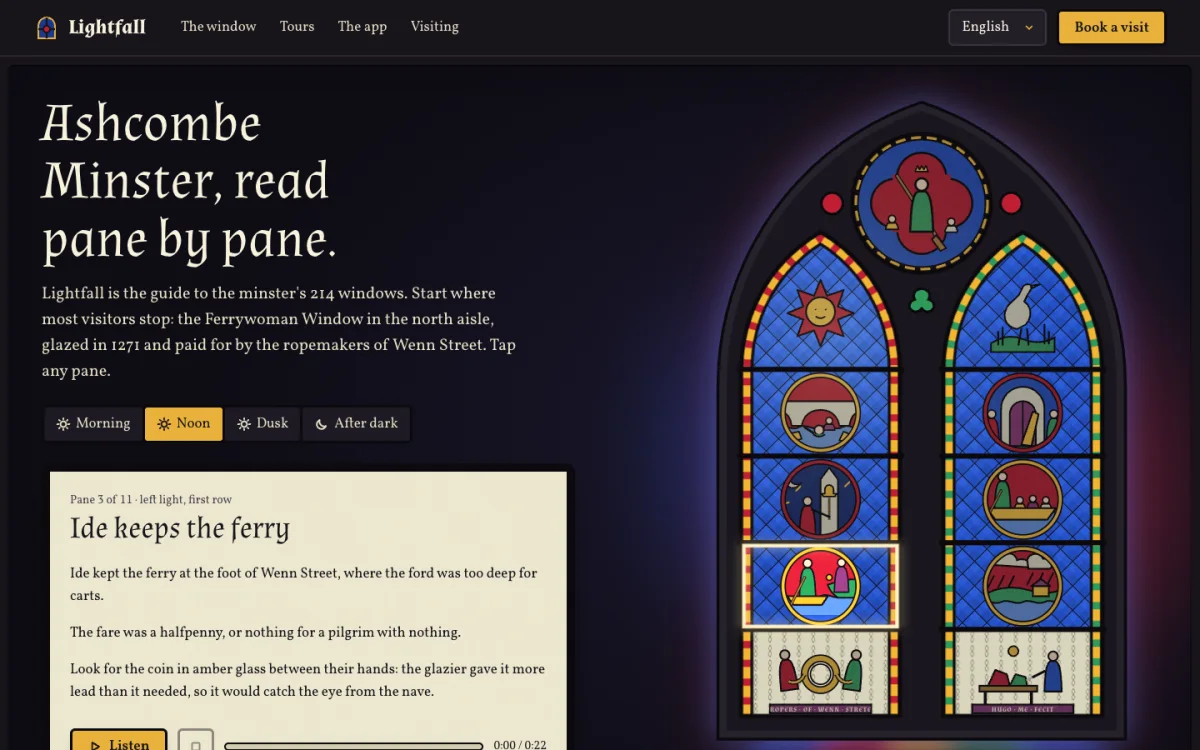
A thirteenth-century leaded window: every section is a pane of pot-metal glass (ruby, cobalt, emerald, murrey, silver-stain yellow, white grisaille) set in black lead came on a lead ground, with the guide's own window glowing as if the sun were behind it.
The first screen is the Ferrywoman Window, glazed in 1271 and drawn in SVG: two pointed lights of blue quarries with red and blue medallions, a jewelled border, iron saddle bars and a roundel with a quatrefoil at the top. Light seems to come through it: a sun spot drifts across the glass, a coloured halo spills behind it and a pool of colour falls on the floor. Switch the light to morning, noon, dusk or after dark, when the glass goes quiet and only the lead reads.
Every pane is a button. The reader beside the window gives its place in the reading order (bottom to top, left light then right, roundel last), its title and a transcript of the guide's narration in English, French or German. Listen runs the transcript line by line with a soft glass-bell tone made in the browser; there are no recordings. Below, a grisaille pane explains how a medieval window is read, three timed tours run across a drawn floor plan of the minster, and a drawn phone shows the offline app with its real specs.
Booking is set in a ruby pane: fourteen days with a closed day and a fully booked Saturday, entry times with places left, adult, concession and under-16 steppers with the rules a cathedral desk would apply, name and email validation, a loading state, a failed-to-send state and a leaded ticket with a booking code. A second tab sends the app link on its own, with the download size worked out from the languages chosen.
The brand is fictional: Lightfall, the audio guide app of Ashcombe Minster, a fictional English cathedral town on the river Wenn, written by the minster's glass conservator. Names, people and figures on the page are invented.
What works
- Window: tap, click or Enter on any of eleven panes; arrow keys move through the reading order
- Reader: transcript, previous and next pane, Listen, pause, resume and stop with a timed read-along
- Glass-bell tone in Web Audio for each line, with a switch to turn it off
- Guide language: English, French, German
- Light through the window: morning, noon, dusk, after dark
- Tours: three routes with computed looking and walking time, plan markers and an expandable stop list
- Booking: day picker with arrow keys, entry times with places left, party steppers, inline validation, loading, error and success
- App-only tab: email validation, language chips and a live download size
States you can link to
script.js reads these from the URL, so you can open the page in a given state to review it, screenshot it or show it to an agent.
| Parameter | What it does |
|---|---|
?panel=s4 | opens the guide on a given pane (d1, d2, s1 to s6, h1, h2, o1). Open ?panel=s4 |
?lang=fr | reads the guide in French (also de). Open ?lang=fr |
?light=dusk | low warm light through the glass (also morning, noon). Open ?light=dusk |
?light=night | after dark: the window unlit, only lead reads. Open ?light=night |
?play=1 | the read-along paused on the second line. Open ?play=1 |
?tour=stepfree | the step-free tour on the plan (also short). Open ?tour=stepfree |
?stop=5 | opens stop 5 of the current tour. Open ?stop=5 |
?tab=app | the app-only download form. Open ?tab=app |
?state=full | a fully booked Saturday with the walk-in note. Open ?state=full |
?state=loading | a filled booking held in its loading state. Open ?state=loading |
?state=error | a filled booking that fails to send once. Open ?state=error |
?state=success | the leaded ticket with a booking code. Open ?state=success |
Use it
Copy templates/stainedglass/ into your project, or download the zip, which has the Screenery badge script already removed. Colours, type, spacing and radii are custom properties at the top of style.css. This template loads no libraries: only its own files and web fonts.
The docs explain the token pattern and how to move a template into React, Vue, Svelte or Astro. The guide has prompts for handing it to a coding agent.