Fold
Language learning app landing page template · App screens
Folded coloured papers on warm washi: faceted low-poly animals lit from the top-left, crisp creases, and a crane that folds one step per right answer.
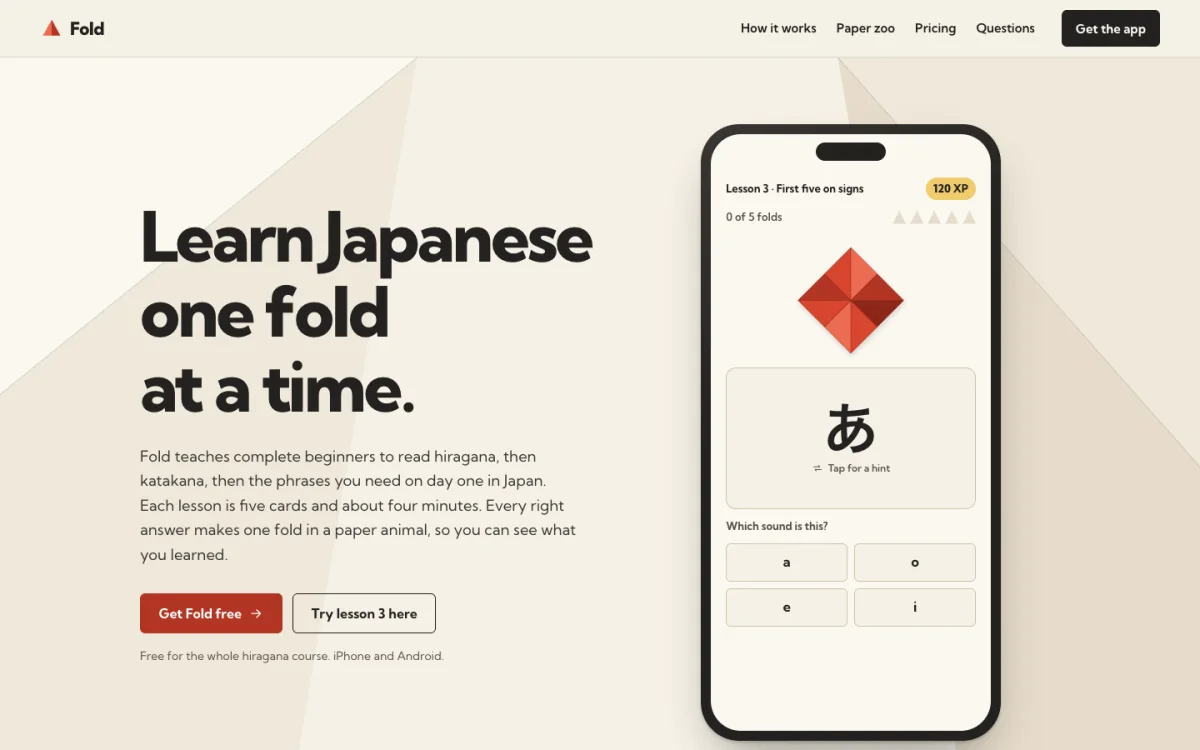
The page is a sheet of warm washi with folded coloured papers on it. The hero is a headline beside a phone drawn in CSS that runs a real lesson: five kana cards, a tap to flip for a picture hint, and four sounds to choose from. Every right answer tweens the eight facets of an SVG paper crane one fold further, from a flat square through a bird base to the finished bird.
A wrong answer shows the right sound gently and sends the card to the back of the queue, so every lesson ends with the crane complete and an XP breakdown that adds up. Finishing also folds the crane on the hiragana path below, where eight lessons wait as paper animals or as flat creased squares. Then come a folding-diagram explanation, the paper zoo of 24 animals across three courses, pricing with a monthly and yearly switch, a download form and questions.
Every animal is a handful of SVG triangles with a light, mid and shaded face. There are no photographs and no libraries.
The brand is fictional: Fold, an app that teaches complete beginners to read Japanese, one paper animal per lesson. Names, people and figures on the page are invented.
What works
- Lesson: flip each kana card for a hint, choose one of four sounds (or keys 1 to 4)
- Each right answer folds the crane one step; reduced motion switches folds instantly
- Missed cards come back at the end; finishing shows the crane and XP and updates the path map
- Fold it again, start from the empty state, retry from the error state
- Pricing switch between monthly and yearly
- Download form: inline email and phone validation, loading, success and error with retry
- Questions accordion
States you can link to
script.js reads these from the URL, so you can open the page in a given state to review it, screenshot it or show it to an agent.
| Parameter | What it does |
|---|---|
?step=3 | three cards answered right, crane three folds in, on the fourth card. Open ?step=3 |
?state=done | the finished lesson: completed crane, XP breakdown, lesson 3 folded on the path. Open ?state=done |
?state=empty | nothing due right now, with a button to start lesson 3. Open ?state=empty |
?state=error | the lesson failed to download (with retry) and the download form shows its send error. Open ?state=error |
Use it
Copy templates/origami/ into your project, or download the zip, which has the Screenery badge script already removed. Colours, type, spacing and radii are custom properties at the top of style.css. This template loads no libraries: only its own files and web fonts.
The docs explain the token pattern and how to move a template into React, Vue, Svelte or Astro. The guide has prompts for handing it to a coding agent.
Inspection
Loaded in Chromium 156.0.8078.4 (Playwright, headless) on 27 November 2026 at 1440, 1024, 768, 390 pixels wide and once more with reduced motion requested. Every check passed at every width.
- 1440 px
- Pass
- 1024 px
- Pass
- 768 px
- Pass
- 390 px
- Pass
- Reduced motion
- Pass
- Page weight
- 98 KB, 6 requests
Requests and transferred size were measured at 1440 pixels on a cold cache and include web fonts and any CDN library. The full result is in the viewer: open the Checks panel. How templates are checked.